
Use the unified inbox
Read and filter email, LinkedIn, and WhatsApp conversations in one inbox and view every conversation with the same person.
beginner5 min readUpdated
Open in Tantra
These open the app in a new tab. You may be asked to sign in.
Overview#
The unified inbox brings campaign conversations from email, LinkedIn, and WhatsApp into one place. Each conversation keeps its channel, person, account, and campaign context visible so you can understand where the reply came from.
Opening a conversation marks it as read.
Before you start#
- A campaign must have sent at least one message before its conversation can appear.
- The sending account must remain connected so new messages can sync.
- LinkedIn and WhatsApp conversations require an active plan and a connected account for that channel.
Find and open a conversation#
- Open Inbox.
- Use All, Unread or Replied to control which conversations appear. Replied shows conversations where the other person has written back at least once, and keeps them there after you answer. Bounces and automatic replies are not counted.
- Select a channel filter: Email, LinkedIn, or WhatsApp.
- Use the campaign and sender filters when you want to focus on one campaign or account.
- Search by a person's name, address, handle, or message text.
- Select a conversation to open the full message history.
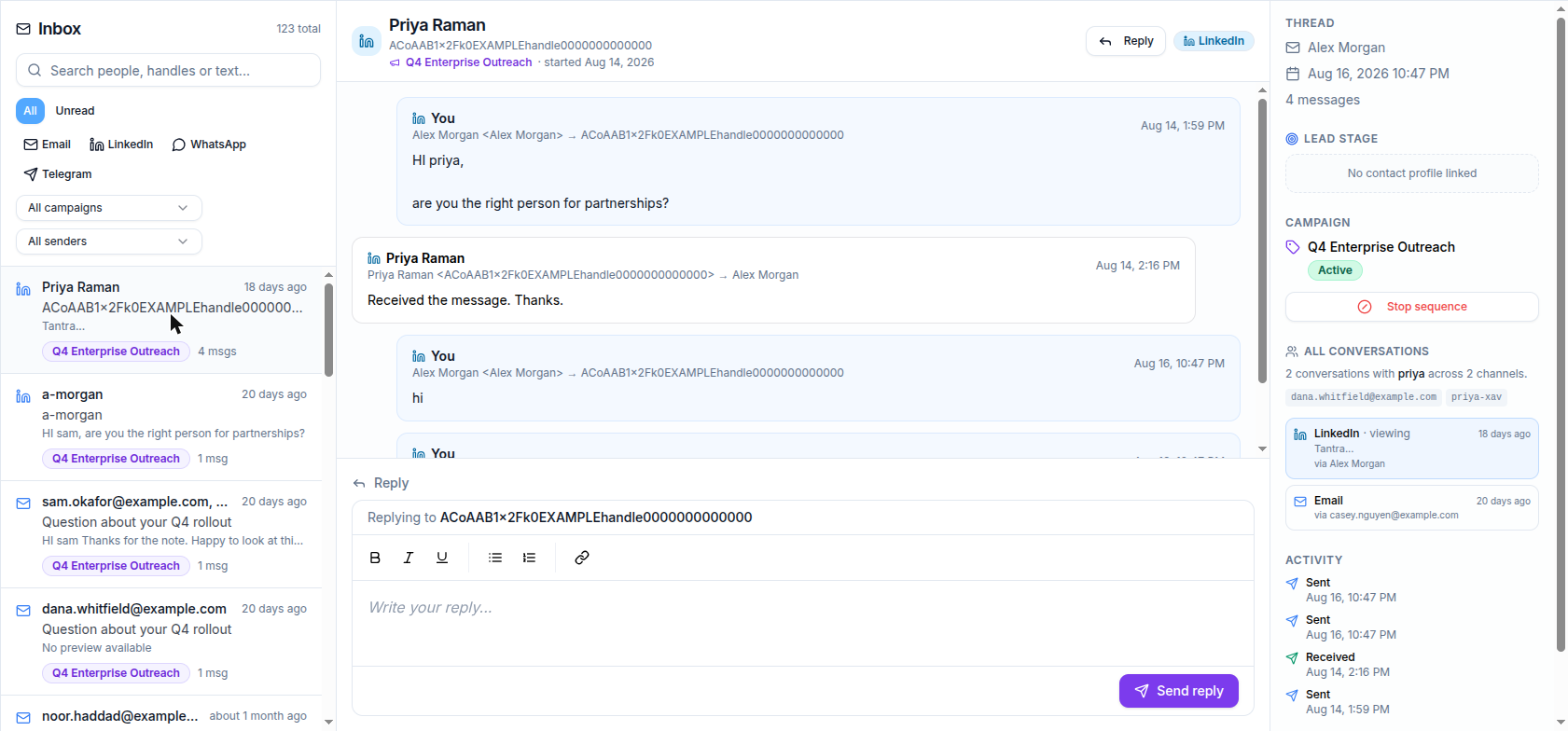
The channel icon beside a conversation tells you where it happened. The thread view shows the campaign and sending account connected to that conversation.
See every conversation with the same person#
When Tantra can match channel identities to the same contact record, the person panel shows their other conversations across channels, accounts, and campaigns. Select another conversation to move between them without searching again.
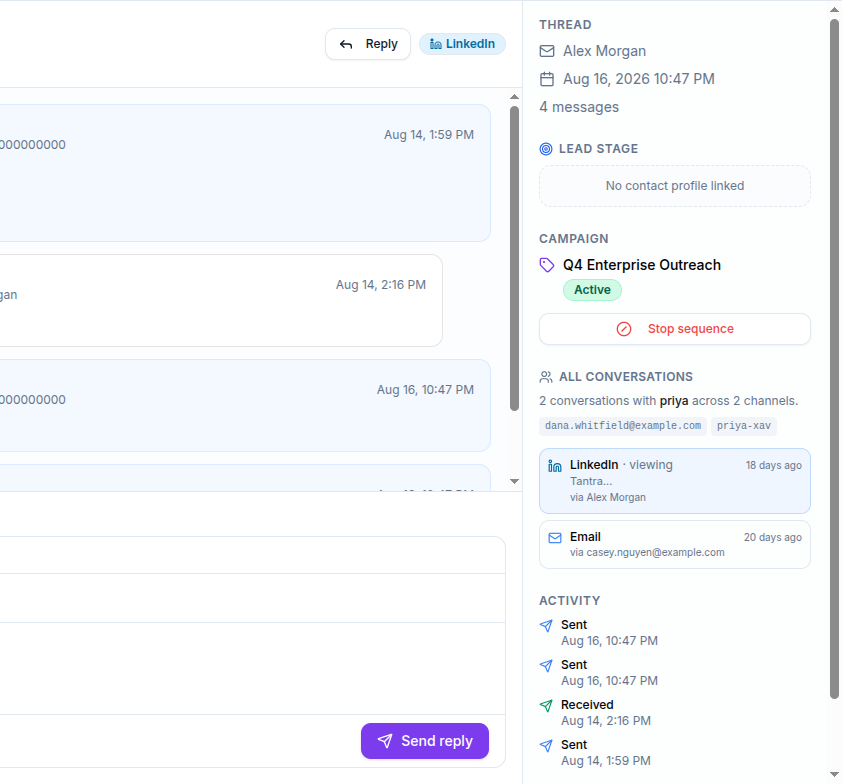
The panel also shows the campaign the conversation belongs to, with a Stop sequence button that ends the remaining steps for that contact, and an Activity list of what was sent and received. If the person has no contact record, Lead stage reads No contact profile linked.
If two conversations are not grouped, confirm that both channel identities belong to the same contact record.
Understand email reply labels#
Incoming email can show classification and intent labels, such as reply, bounce, automatic response, unsubscribe, positive, negative, or neutral. These labels help you prioritize follow-up.
See Reply detection and intent classification and Reply intents explained.
Reply from the inbox#
Open the conversation and select Reply. Write your message in the reply box and select Send reply. Email replies go out from the mailbox that owns the thread, and a reply on a LinkedIn or WhatsApp conversation is sent from the connected account that owns it.
For email, keep your reply on the original thread so it can be matched to the campaign and stop later follow-ups correctly.
What happens next#
- New messages appear after the connected account syncs. A short delay is normal.
- Opening a conversation clears its unread state.
- A genuine email reply stops that contact's remaining email follow-ups.
- You can open the linked contact from the conversation context and update their lead stage.
Best practices#
- Start with Unread, then filter by channel or campaign.
- Keep every identity for one person on the same contact record.
- Reconnect disconnected accounts promptly so conversation history stays current.
- Review the channel icon before replying so you continue in the intended place.
Troubleshooting#
| Symptom | Fix |
|---|---|
| A recent message is missing | Allow a short time for the connected account to sync, then refresh |
| One channel has no conversations | Confirm your plan is active and the channel's account is Connected |
| Conversations for one person are separate | Link the relevant identities to the same contact record |
| Sending a reply fails | Check that the account the conversation belongs to is still connected, then try again. For a social channel, confirm the add-on is active |
| The inbox is empty | Confirm that a campaign has sent and that its sending accounts remain connected |
FAQ#
Which channels appear in the inbox?#
Email, LinkedIn, and WhatsApp.
Does opening a conversation mark it read?#
Yes.
Why do replies take time to appear?#
Connected accounts sync on a schedule, so a new message may not appear instantly.
Can I see one person's conversations across channels?#
Yes, when their channel identities are linked to the same contact record.
Related articles#
Was this article helpful?
Related articles
- Reply detection and intent classificationLearn how Tantra polls your mailboxes to detect replies, links them to the right campaign, and classifies each one with AI and a keyword fallback.
- Manage leads, stages, and scoresTrack prospects in Tantra's leads view, set stages, read the automatic engagement score, and open a lead's activity, notes, and campaigns.
- Build a multichannel outreach sequenceCombine email, LinkedIn, and WhatsApp steps in one Tantra outreach sequence.